

Setting Warning and Current Limits for Forecr Boards
WHAT YOU WILL LEARN?
1- Setting Warning ang Crit Current limit on terminal.
ENVIRONMENT
Hardware: All Forecr Boards
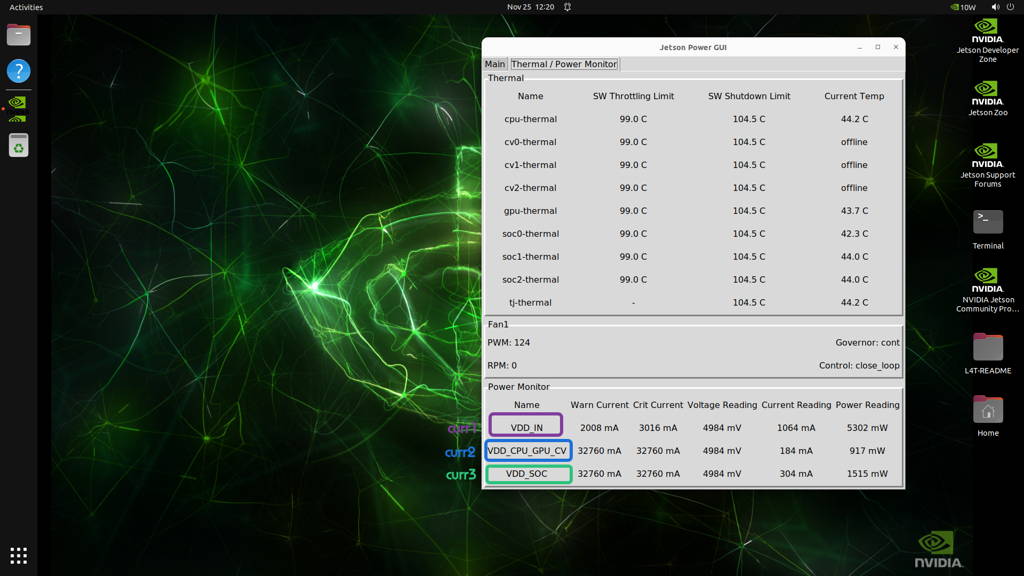
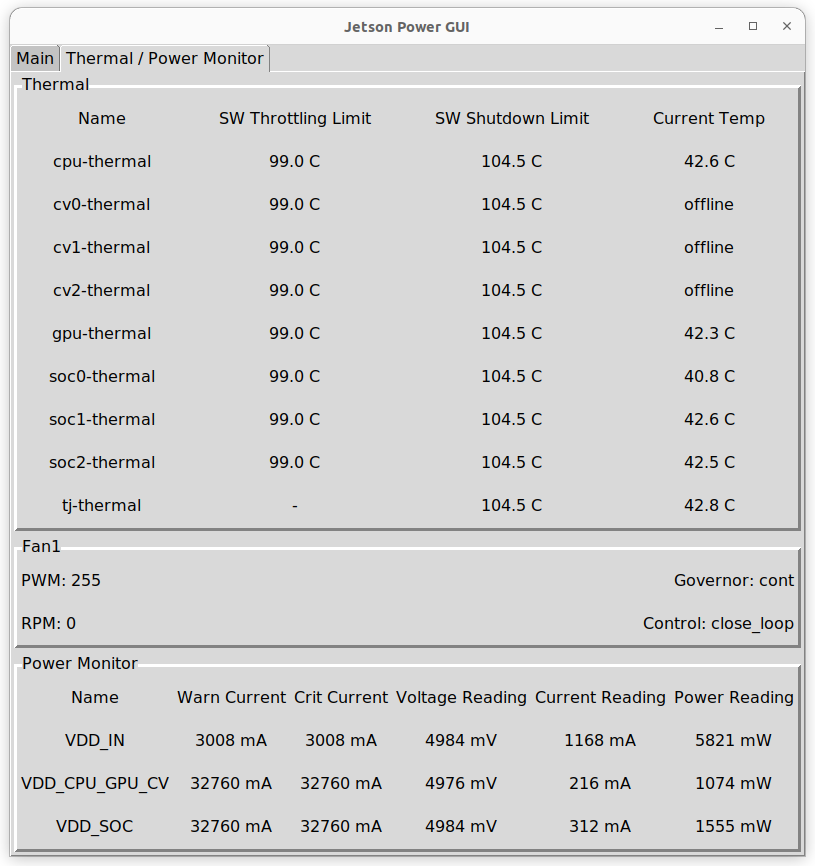
Check Power Gui
"The values you see in the Power Jetson GUI are actually predefined values from the INA3221."
VDD → curr1
VDD_CPU_GPU_CV → curr2
VDD_SOC → curr3
We can read and modify these values through the driver.
Let's follow this command to see which files are on this path.
$cat /sys/bus/i2c/drivers/ina3221/1-0040/hwmon/hwmon1/*
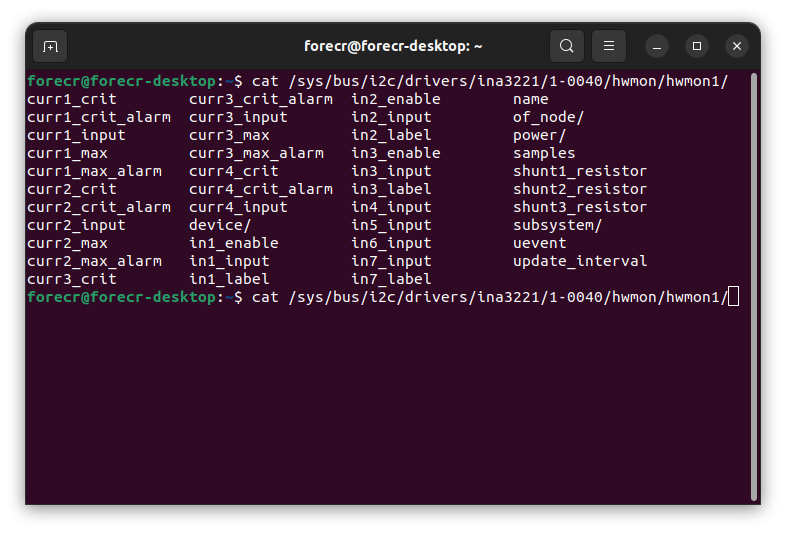
$curr1_crit and curr1_max for VDD_IN
$curr2_crit and curr2_max for VDD_CPU_GPU_CV
$curr3_crit and curr3_max for VDD_ SOC
$curr2_crit and curr2_max for VDD_CPU_GPU_CV
$curr3_crit and curr3_max for VDD_ SOC
Read and Write Current Limit Value via Terminal
Let's read the warning current for VDD_IN using the following command.
The value being readden its the same value on Jetson Power Gui
$cat /sys/bus/i2c/drivers/ina3221/1-0040/hwmon/hwmon1/curr1_max
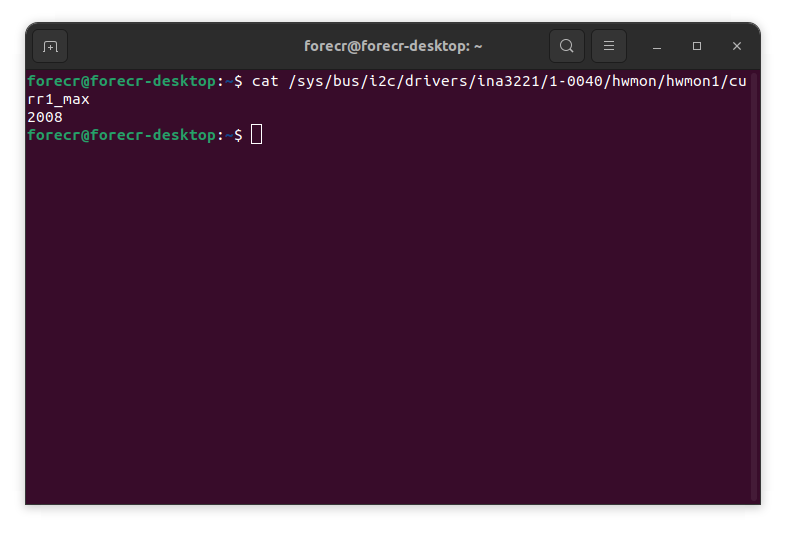
Let's change the value we set from 2008 to 3008 by entering the following command:
$echo 3008 > /sys/bus/i2c/drivers/ina3221/1-0040/hwmon/hwmon1/curr1_max
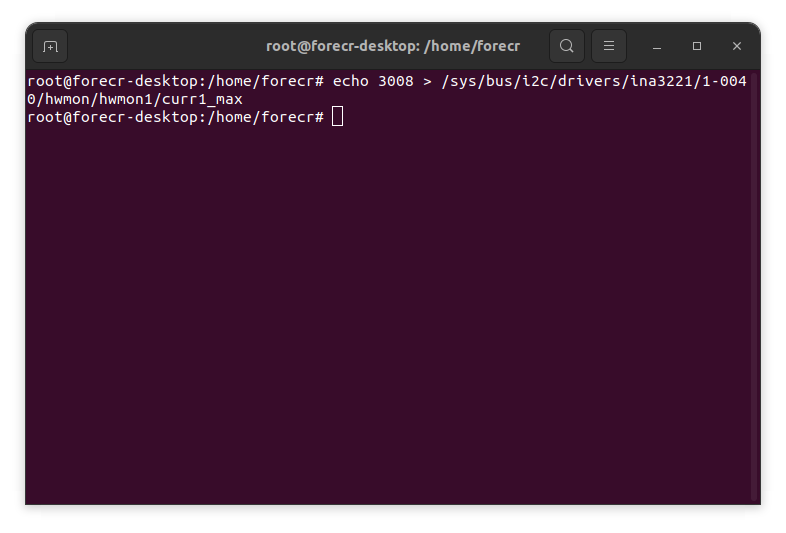
Check Jetson Power GUI
The value is immediately shown on the Jetson Power GUI.
Thanks for reading our blog post.

